The Safe Church Register · for Baptist churches in NSW & ACT
Every volunteer cleared. Every check current. Every church confident.
Replace the Safe Church spreadsheet with a living record of every volunteer's screening, training and references. It reminds people before anything lapses, shows who's cleared at a glance, and keeps a history you can stand behind.
- Built around Creating Safe Spaces
- Works on any phone – no app to install
- No passwords for volunteers
- Health Check ready
Today
A spreadsheet can't tap you on the shoulder
- Working with Children Checks expire quietly, and someone finds out on a Sunday morning.
- Reference notes live in one person's inbox – or their head.
- Every update means chasing volunteers by email, then retyping what they send.
- When a pastor or Safe Church Team member moves on, the history often goes with them.
- Preparing for a Health Check means a weekend of tidying columns.
With the Safe Church Register
A living record that does the remembering
- Everyone shows as Cleared, Pending, Lapsed or On hold – worked out for you.
- Reminders go out at 90, 60 and 30 days, before anything lapses.
- Volunteers update their own details from their phone.
- Every check, call and decision is recorded, with who did it and when.
- The Health Check register is one click away.
What you get
Everything a Safe Church Register should do – and nothing it shouldn't
Designed with Safe Church practice in mind, so the system supports the trusted local people who know your volunteers rather than trying to replace them.
Know who's cleared, at a glance
Each role sets what's needed – WWCC, Creating Safe Spaces training, police check, code of conduct, screening questionnaire and referees. The register works out each person's status and tells you exactly what's missing.
Volunteers do their own paperwork
Share your church's link. Volunteers register, add their WWCC, upload certificates, sign the code of conduct and nominate referees in about five minutes – no app, no password.
Reminders before anything lapses
Volunteers are nudged as renewals approach and while anything is outstanding. Your team gets a regular digest of exactly what needs doing.
Real people make the call
WWCCs are verified by your team against the state register, and references are done by phone with a structured call guide – or, if your church chooses, by a secure emailed questionnaire your team reviews. The system records the result; your people bring the judgement.
Concerns handled with care
A concern from a referee, or a "yes" on the screening questionnaire, places the person on hold automatically. Only senior admins see the detail and record the decision – and the volunteer is never told why on screen.
A record you can stand behind
Past roles and checks are kept, never overwritten. People are archived, not deleted. Every view and change is logged in a tamper-evident audit trail you can export.
No more paper questionnaires
The Volunteer Application & Screening Questionnaire is built into registration – with an under-18 version and parent sign-off. A "yes" is never shown to leaders or other volunteers; it goes quietly to a senior admin for a confidential conversation.
Fits how your church runs
Add your own credentials – first aid, driver's licence, food safety – and require them only for the roles that need them. Under-18 helpers, and WWCC applications still in progress, are handled properly too.
Reports when you need them
Expiring soon, waiting to verify, references outstanding, missing training, under-18s turning 18, who's cleared for each ministry – on screen or as a spreadsheet, in one click.
How it works
From "I'd love to help" to cleared, in five steps
- 1
Choose a role
The volunteer registers on your church's link and picks how they'd like to serve. Their role sets what they need.
Volunteer - 2
Apply online
The application and screening questionnaire, two referees and the code of conduct in one go – then their WWCC and training certificate. All from their phone.
Volunteer - 3
Verify the WWCC
An admin checks the number on the state register and records the result. The register notes who checked it and when.
Church admin - 4
Contact the referees
A short, structured phone call – or a secure emailed questionnaire. Answers are recorded. Any concern goes to a senior admin before clearance.
Church admin - 5
Cleared – and kept current
Status turns Cleared. Reminders bring people back before anything expires.
Automatic
Made for everyone involved
The right view for each person
Volunteers
- A clear checklist of what's needed
- Sign in with an emailed link – no password
- Only ever see their own record
Church teams
- A dashboard of exactly what needs doing
- Verify, call, approve and remind
- Import your spreadsheet in minutes
Ministry leaders
- Who on your team is cleared to roster
- Status only – no private detail
- Works on your phone on Sunday
For church teams
Your week, on one screen
Open the dashboard and you'll see exactly what needs doing: checks to verify, referees to phone, role requests to approve, anyone who has lapsed, and renewals coming up in the next 30, 60 and 90 days.
Prefer email? A digest lands in your inbox at the frequency your church chooses.
Your weekly rhythm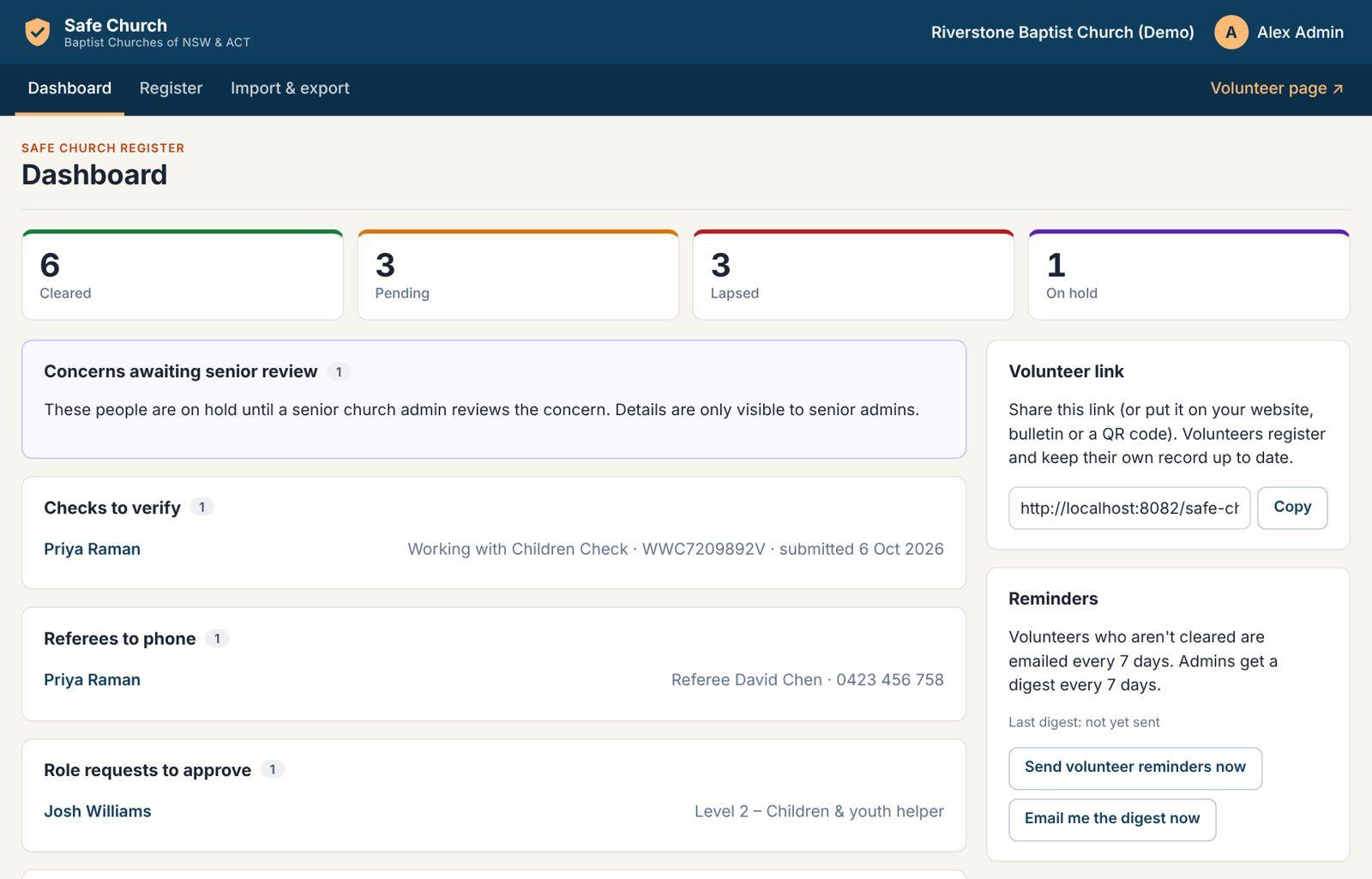
Working with Children Checks
Verify a WWCC in under a minute
Look the number up on the NSW Office of the Children's Guardian employer portal (or Access Canberra for ACT WWVP registrations), then record the result. The register notes who verified it, when, and flags anything unverified, expiring or expired.
If a check comes back barred, the person is placed on hold and your senior admins are alerted straight away.
How to verify a WWCC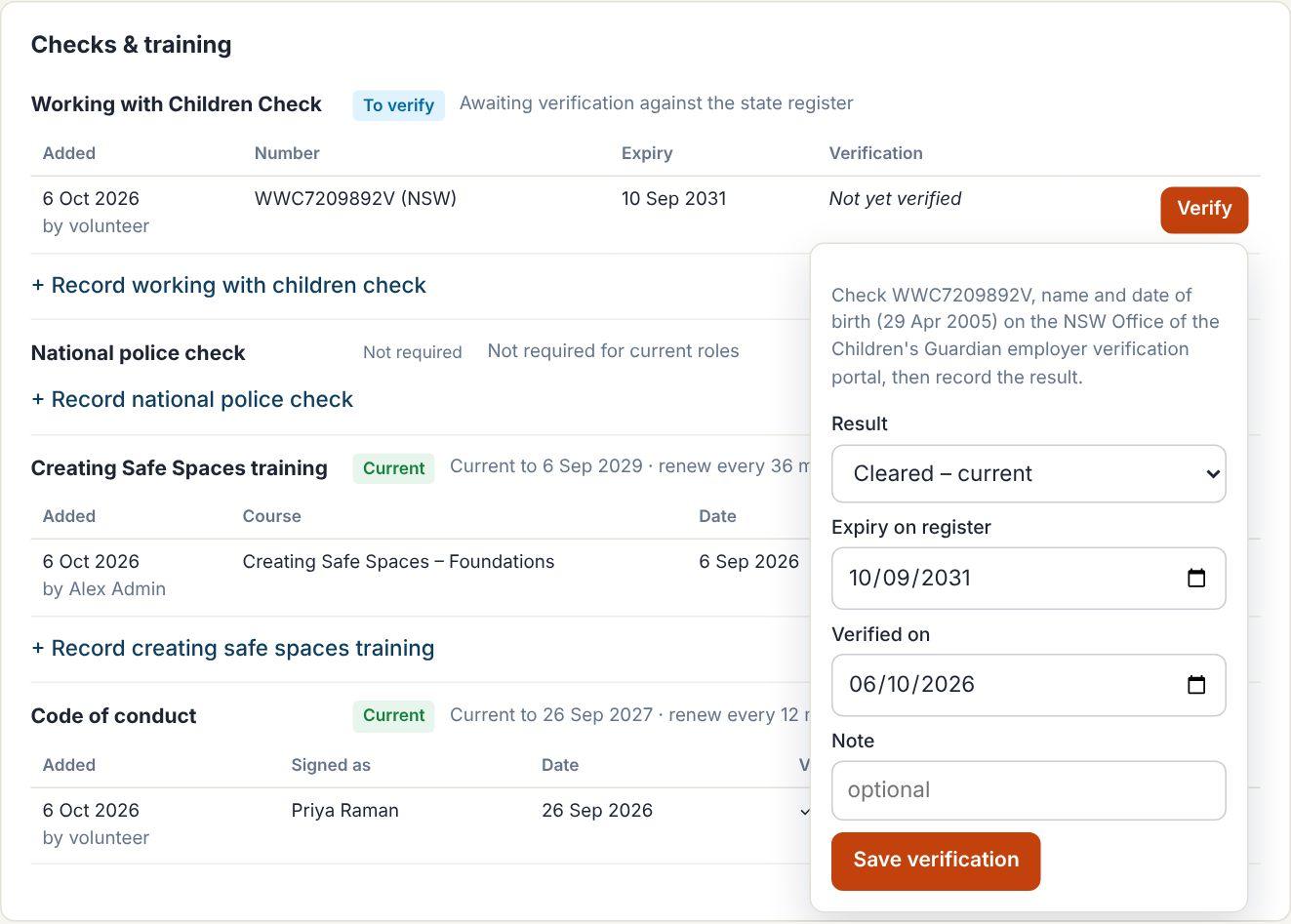
For volunteers
Five minutes on their phone, not five emails back and forth
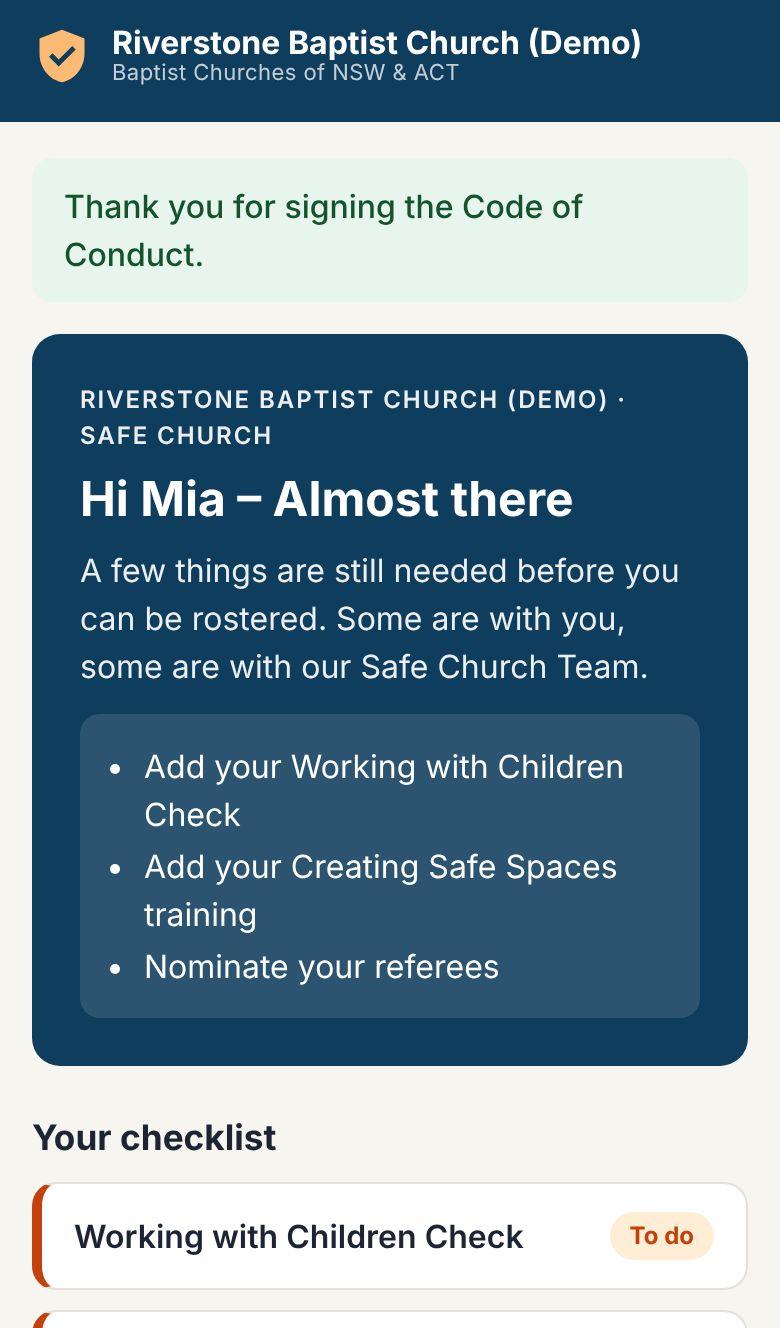
Volunteers see a simple checklist: what's done, what's with your team, and what they still need to do. When something is about to expire, they get an email with a link straight back to their record.
See the volunteer guide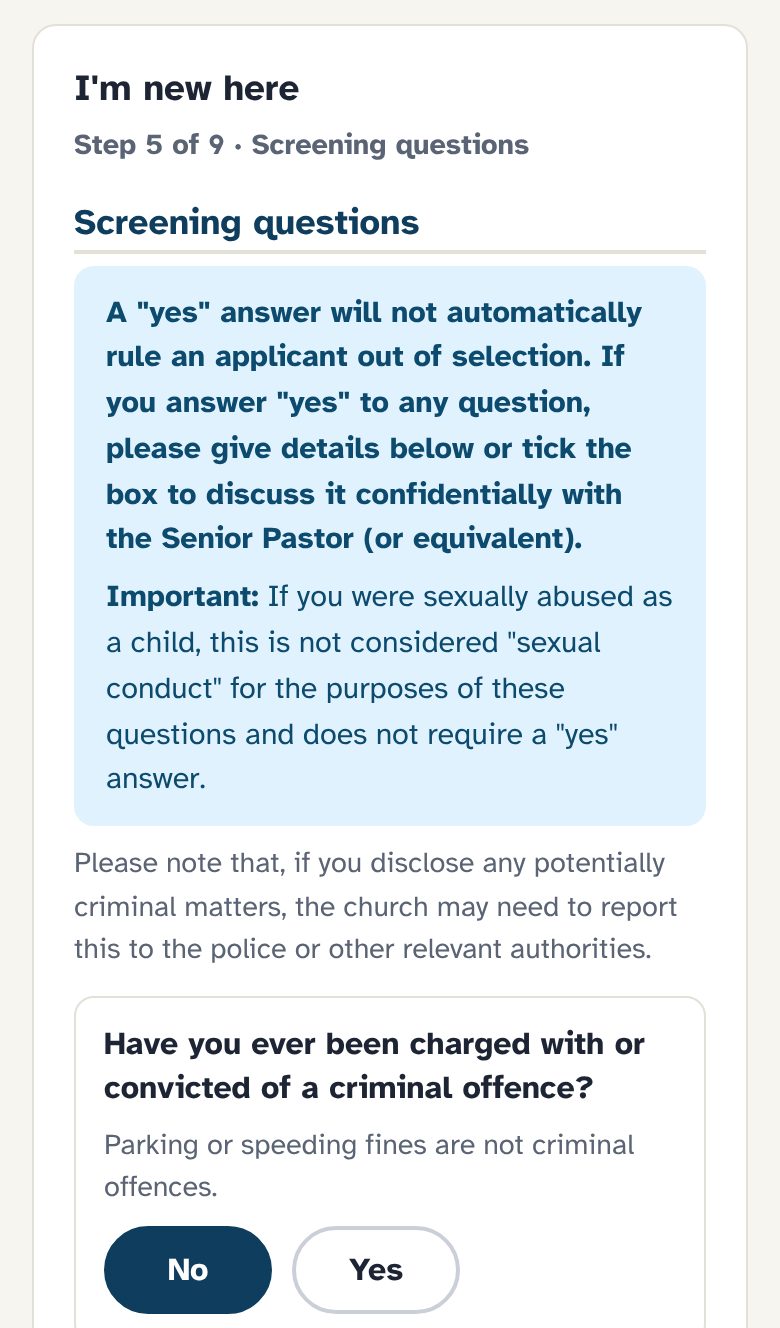
The system records and supports trusted local people. It doesn't replace their judgement.
That's why WWCCs are verified by your team, references are done by phone, and concerns always go to a person – not an algorithm.
Privacy & security
Sensitive information, treated that way
Right access for each role
Ministry leaders see status only. Church admins see their church. Concerns and personal disclosures are for senior admins only.
Everything is logged
Every view of a record, change, approval and export is recorded, and the log can't be edited.
Private documents
Certificates and card photos are kept out of public reach, and every time one is opened it's logged.
Protected sign-in
Repeated wrong passwords lock sign-in for 15 minutes, and church admins can be required to use two-factor sign-in. Volunteers use a one-off emailed link.
Archived, never deleted
Child safety records are kept when someone moves on, for as long as legal advice requires.
Your church's register
Each church sees only its own people – never another church's volunteers. Emails go out from a secured, authenticated mailbox.
Ready to retire the spreadsheet?
Bring your current register. You can import it in minutes, and we'll walk you through the rest.